
Presenting Your Deck Live: The Forensic Science of Pitch Deck Presentation
Presenting Your Deck Live: A flat delivery kills the best data. Master the Persuasion Velocity and stagecraft protocols elite London and NYC founders use to command the room.
PILLAR 10 — PITCH DELIVERY
1/5/20266 min read
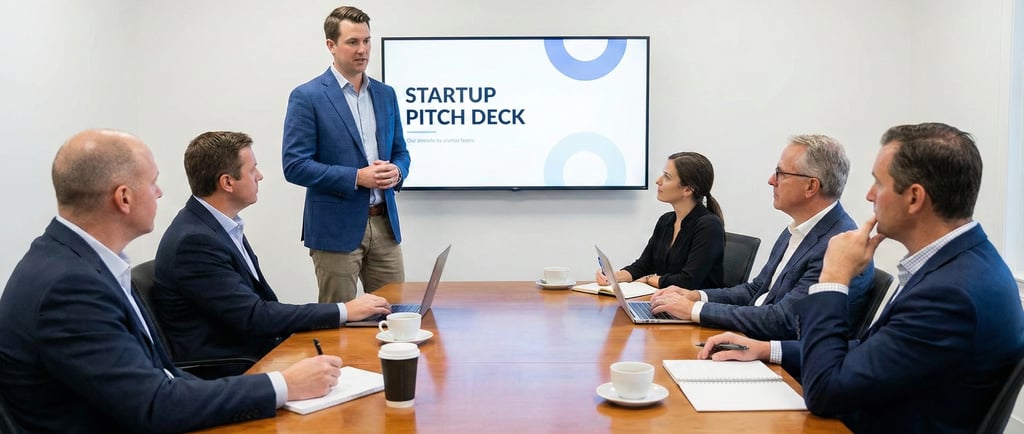
Presenting Your Deck Live: The Forensic Science of Visual Accompaniment
Your deck is not a teleprompter; it is a backdrop. The moment you read a slide to an investor, you have resigned as CEO and applied for the job of Narrator.
The single most destructive habit in fundraising is "Corporate Karaoke"—the act of standing in front of a projection (or a Zoom share) and reading bullet points that the investor could have read faster on their own. This violates the "Redundancy Effect" in cognitive psychology: the human brain cannot process written text and spoken words simultaneously if they are identical. The brain jams. The investor tunes you out.
In a forensic audit of failed pitches, we often find that the deck was technically perfect, but the presentation was a failure of "Information Hierarchy." The founder allowed the slide to lead the meeting, rather than using the slide to reinforce the narrative.
When you present live, you are managing two independent data streams: Visual (The Slide) and Auditory (Your Voice). If these streams are not synchronized with forensic precision, you create "Cognitive Load." An investor under cognitive load defaults to "No."
This analysis is a surgical guide to the Live Deck Presentation. We will strip away the "public speaking" fluff and focus on the Mechanics of Attention Management—how to wield your slides as a weapon of persuasion, not a crutch for memory.
This sub pillar is part of our main Pillar 10 — Pitch Delivery
The Trench Report: The "Karaoke" Death Spiral (A Series B Collapse)
In Q3 2025, I advised a Logistics SaaS founder in Chicago. He was raising $12M. He had a 20-slide deck that was dense with text.
The Structural Error:
He treated his deck as a script.
The Behavior: On Zoom, he would put up Slide 4 (Market Problem). The slide had 5 bullet points. He would say: "So, point number one is fragmentation..." and then read the bullet point verbatim.
The Forensic Result: By the time he reached bullet point 3, the investors had already finished reading bullet point 5. They were bored. They started checking email.
The "Disconnect": His voice was lagging behind their eyes. He had lost "Tempo Control."
The Technical Pivot:
We stripped 80% of the text from the "Live Version" of the deck.
The Fix: We replaced bullet points with "Anchor Visuals" (Single large charts or photos).
The Protocol: He was forbidden from looking at the slide. He had to look at the camera. The slide served only as "Wallpaper" for his voice.
The Result: The investors were forced to listen to him to get the context. The slide provided the evidence (the chart), but he provided the insight.
The Outcome:
He closed the round with a Lead who noted, "He has a command of the narrative that goes beyond the data."
The Forensic Formula: The Attention Synchronization Ratio Sa
You can measure if your slide is helping or hurting.
Sa = Time to Read Slide (s)
Time Spent Speaking on Slide (s)
Forensic Logic:
If Sa > 0.5: Failure. The slide is too dense. They are reading, not listening.
If Sa < 0.1: Optimal. The slide is instant (a graph), and you spend the rest of the time adding value verbally.
The Three Mechanics of Live Deck Control
To pass the audit, you must master the mechanics of Visual Pacing.
1. The "2-Second" Decode Rule
The Principle: A slide used in a live setting must be understandable in 2 seconds.
The Error: Complex flowcharts or "Wall of Text" slides.
The Fix: "One Idea Per Slide."
Instead of: One slide with Problem, Solution, and Market.
Do: Three separate slides. Click through them fast.
Forensic Insight: High click rates create energy. Staying on one dense slide for 5 minutes creates stagnation.
2. The "Black Screen" (The B-Key Hack)
The Principle: Sometimes, you want them to look at you, not the data.
The Hack: If presenting In-Person (PowerPoint/Keynote), press the "B" key. The screen goes black.
The Usage: Use this when delivering the "Emotional Hook" or answering a tough question.
The Effect: It forces 100% of their attention onto your face. It is a massive "Power Move" that signals confidence.
3. The "Presenter View" Firewall
The Principle: You need notes, but you cannot look like you are reading.
The Error: Holding index cards or looking at a second monitor.
The Fix: Master "Presenter View".
Setup: Your laptop shows the current slide, the next slide (so you can transition smoothly), and your bullet notes. The Projector/Zoom shows only the slide.
Forensic Drill: Practice glancing at the "Next Slide" preview so you can say the transition sentence before you click. "Now, you might be wondering about our unit economics..." [Click]. This makes you look like a magician.
Regional Calibration (SF vs. London)
How you use the deck changes based on the audience's culture.
San Francisco (The "Visionary" Backdrop)
The Vibe: Storytelling, Emotion, Speed.
The Protocol: "Cinematic Style."
Slides: Full-bleed images. Very little text. Huge numbers.
Behavior: Move fast. Don't dwell on details. Use the deck to set a "Mood."
Risk: If you bore them with a spreadsheet slide, they will interrupt you.
London / New York (The "Audit" Evidence)
The Vibe: Verification, Logic, Detail.
The Protocol: "Handout Style."
Slides: It is acceptable to have data tables live.
Behavior: "Let's look at Row 3, Column 2." Walk them through the logic of the numbers.
Risk: If your slides are all "fluff" (stock photos) without data, they will assume you are hiding the metrics.
The "Red Flag" Tells
Investors judge your competence by how you handle the AV (Audio/Visual) dynamic.
Red Flag 1: The "Can You See My Screen?" Fumble
The Error: Starting the meeting with 2 minutes of "Can you see it? Is it full screen?"
The Forensic Reality: It kills momentum. It signals "Junior Operator."
The Fix: " The Hot Start." Have the screen shared and ready before they join the Zoom. Or, ask "I'm sharing the deck now" as a statement, not a question.
Red Flag 2: The "Next Slide Please"
The Error: Having your co-founder drive the deck while you speak. "Next slide... Next slide..."
The Forensic Reality: It breaks the flow. It makes you look like you aren't in sync.
The Fix: The person speaking holds the clicker (or keyboard). Always. If you switch speakers, pass the control.
Red Flag 3: Reading the Slide
The Error: Turning your back to the investors to look at the screen (In-Person) or reading the text on Zoom.
The Forensic Reality: This is "Status Suicide." You are signaling that the slide knows more than you do.
The Fix: "The Eye Lock." Never look at the slide once it is up. You know what's on it. Look at the investor. Point at the screen if needed, but keep your eyes on the prize.
Earned Secrets
Hidden levers of presentation mechanics.
Secret 1: The "Appendix Jump" (The Authority Move)
The Secret: You cannot fit all data in the main deck.
The Hack: When asked a deep-dive question (e.g., "What's the churn by cohort?"), do not answer verbally.
The Move: Type the slide number (e.g., "42") + Enter. Jump instantly to the Appendix slide with that exact chart.
The Signal: "I am so prepared that I anticipated your specific skepticism." This wins rounds.
Secret 2: The "Visual Anchor" for Zoom
The Secret: On Zoom, faces are small. Slides are big. You lose human connection.
The Hack: Stop sharing.
The Move: Every 10 minutes, or during a Q&A break, Stop Share. Make your face full screen. Re-establish the human bond. Then re-share for the next section.
The Signal: It wakes them up. It changes the visual stimulus.
Secret 3: The "Leave-Behind" Version
The Secret: The deck you present live should not be the deck you email them.
The Protocol:
Live Deck: Low text, high visuals. (Needs a speaker).
Send-Ahead/Leave-Behind Deck: High text, self-explanatory. (Standalone).
The Hack: Save two versions: [Startup]_Pitch_Live.pdf and [Startup]_Pitch_Read.pdf. Send the "Read" version after the meeting.
Expert FAQ: The Unasked Questions
Q: What if I notice a typo live?
A: Forensic Answer: Ignore it.
Why: If you point it out ("Oh, ignore that typo"), you draw attention to it. 90% of the time, they won't see it if you don't mention it. Keep moving.
Q: Should I use animations?
A: Forensic Answer: No.
Why: Screen sharing lags. Animations look choppy and unprofessional over Zoom. Use "Simple Fade" if you must, but "No Transition" is the gold standard for crispness.
Q: How fast should I go?
A: Forensic Answer: 2-3 minutes per slide max.
The Math: 15 slides x 2 minutes = 30 minutes. This leaves 15 minutes for Q&A in a 45-minute slot. If you spend 5 minutes on the "Team" slide, you will run out of time for "Financials."
Forensic Audit Checklist
Before you stand up or log on, run the "AV Diagnostics":
The "Clicker" Check: Do you have a physical remote? (In-person). Do not be tethered to the laptop.
The "Resolution" Check: Is your screen 16:9? (Standard). Does it match the projector/Zoom ratio?
The "Notification" Block: Did you turn off "Do Not Disturb"? (A slack message popping up over your financial slide is unprofessional).
The "Version" Check: Are you presenting the exact version you sent them? (If they are following along on their iPad and you changed the slide order, they will get confused).
The "Backup" PDF: Do you have a PDF version ready if the PowerPoint file crashes?
Narrative Breadcrumb
You have mastered the live performance. You used the "Black Screen" hack to command attention. You jumped to the Appendix to answer the tough question. You didn't read a single bullet point.
The meeting ends. The partner is impressed. They say, "This is great. Send us the materials." Now you enter the final phase of the transaction. You must manage the "Due Diligence" process—the forensic audit of your business that happens when you aren't in the room.
(Note: The Funding Blueprint Kit includes the VC-Ready Pitch Deck (Elite Canva Template) which comes with a specific "Live Presentation" mode, and the Slide-By-Slide VC Instruction Guide that teaches you exactly what to say for each visual anchor. These tools ensure your live performance matches the forensic quality of your materials. Access the full forensic suite at the home page.)
Funding Blueprint
© 2025 Funding Blueprint. All Rights Reserved.